
Drag, upload or paste an image
Supported: JPG
Up to 5 files, 20 MB each · or press
Ctrl + V
Uploaded files 0
Conversion runs entirely in your browser — your files are never uploaded or stored.
Converted files
Imagine you are rushing to turn in a school project before the deadline. You try to upload your files, but the website blocks you with an error. The screen reads: "Unsupported File Format. Please upload a .jpeg." You stare at your files in total frustration. They end in .jpg, which is literally the same thing!
Our free JPG to JPEG converter saves the day instantly. It changes your image files in just a few seconds.
Maybe you need to change one single photo to JPEG format. Or maybe you need to fix a whole bunch of pictures at once. This tool works entirely inside your internet browser. You never have to wait in long upload lines.
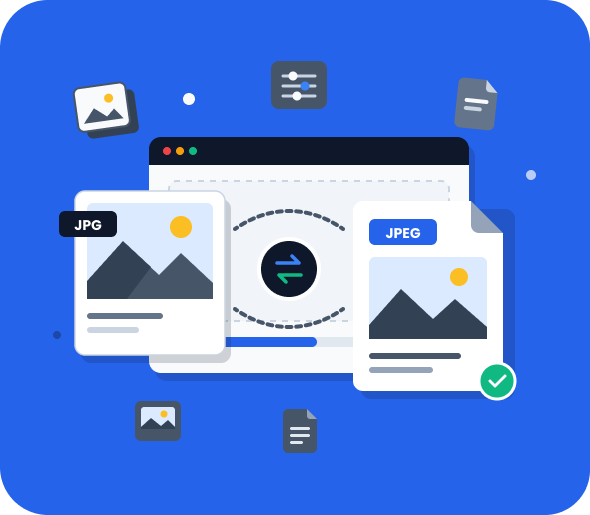
How to Convert JPG to JPEG Online?
Changing your file format is simple because our tool does all the work right on your device. You do not have to wait for large uploads or sit through long server processing lines. Step-by-step process mentioned below.
Step 1: Upload Your JPG File
Click the upload button or drag and drop your image directly into the converter. You can add a single file or multiple images for batch processing. Our browser-based tool supports files from desktops, tablets, and smartphones.
Step 2: Start the Conversion
Once your files are uploaded, click the convert button to convert JPG to JPEG instantly. The conversion process runs securely in your browser, ensuring fast performance and preserving the original image quality.
Step 3: Download Your JPEG Files
After the conversion is complete, download your files individually or save all converted images at once. Your new JPEG files are ready to use across websites, applications, and devices.
JPG vs. JPEG: Is There Any Difference?
There is no technical difference between JPG and JPEG. Both are the same image format.
Both file extensions represent the Joint Photographic Experts Group (JPEG) standard. The difference exists because older versions of Windows and MS-DOS only supported three-character file extensions, resulting in .jpg instead of .jpeg.
Today, both formats offer:
- The same image quality
- The same compression method
- The same file size
- The same compatibility across modern devices
Changing a file from .jpg to .jpeg does not modify the image itself. It simply updates the file extension.
Why Convert JPG to JPEG?
Although JPG and JPEG are identical formats, there are practical reasons to use the .jpeg extension.
Improve Compatibility
Older programs, databases, and website servers are often hardcoded to only accept the four-letter .jpeg extension. If a system fails to recognize your .jpg file, a quick switch fixes the issue instantly. It also ensures web servers send the right data for clean browser rendering.
Meet Upload Requirements
Many school portals, government sites, and job application forms enforce strict file type rules. When a strict upload portal specifically demands a photo to JPEG format, a .jpg can cause an error. Running your img to JPG or standard JPG files through our tool guarantees they clear these automated validation checks.
Maintain Consistent File Naming
Mixing .jpg and .jpeg extensions in a large library can easily break your sorting filters and automation scripts. Converting your files allows you to convert JPG to JPEG uniformly across your entire system. This keeps your folders organized, predictable, and easy to search.
Features of Our JPG to JPEG Converter
Fast Browser-Based Processing
Our JPG to JPEG converter works directly in your browser for instant results. No server uploads or processing delays.
Batch Conversion Support
You can convert multiple files simultaneously and download them together in a single ZIP archive.
Secure and Private
Your images never leave your device. Since all processing happens locally, your files are not uploaded, stored, or shared.
Works on Any Device
Use the image to JPEG converter on desktops, tablets, and smartphones with any modern browser, including Chrome, Safari, Firefox, and Edge.
Why Choose Our JPG to JPEG Converter?
Convert your JPG to JPEG files online in seconds with a fast, private, and hassle-free experience.
Frequently Asked Questions (FAQs)
Can I Convert Multiple JPG Files at Once?
Yes. You can upload and convert multiple files in one session using the batch conversion feature. Simply select all your images, click Convert, and download the resulting files together.
Processing speed depends on your device because all conversions happen locally in your browser.
Who Can Use This JPG to JPEG Converter?
This tool is designed for anyone who needs a quick and reliable way to convert JPG to JPEG files, including:
- Photographers and photo editors
- Web designers and developers
- E-commerce sellers
- Students and educators
- Office administrators
- Content creators and marketers
If you need a .jpeg extension instead of .jpg, this tool is the easiest solution.
Does Converting JPG to JPEG Reduce File Size?
No. The JPG to JPEG converter does not change image quality or file size because both formats are identical.
If you want smaller image files, consider these options:
- Compress the image using a dedicated optimization tool.
- Resize the image dimensions to reduce the total pixel count.
- Remove unnecessary metadata, such as EXIF information.
- Convert the image to a modern format like WebP for web use.
Is JPG the Same as JPEG?
Yes, they are identical. Older Windows systems forced a three-letter extension (.jpg), while Mac allowed four (.jpeg). Under the hood, the image data is exactly the same.
Is it safe to convert JPG to JPEG online?
Yes, our tool is 100% safe. Your images are processed entirely inside your local browser and are never uploaded to an outside web server.
Will converting JPG to JPEG reduce image quality?
No. Because the underlying file formats are exactly the same, changing the extension does not compress or alter your image pixels.
Can I convert multiple JPG files to JPEG at once?
Yes. You can drop an entire batch of files into the converter to process them simultaneously and download them in a single ZIP folder.
Can I convert JPG to JPEG on mobile?
Yes. The tool works perfectly inside any mobile browser on both iPhone and Android devices.
Is this JPG to JPEG converter free?
Yes, it is completely free. There are no fees, no usage limits, and no account registrations required.
Explore more tools
Discover more free image and document conversion tools.